


SmartDesk · Resident Request Management
Every resident request. A clear owner.
A connected conversation.
Bring requests from email and website forms into one shared system. SmartDesk routes requests to the right department, helps staff manage replies and keeps residents informed through email notifications and a portal where they can check progress.
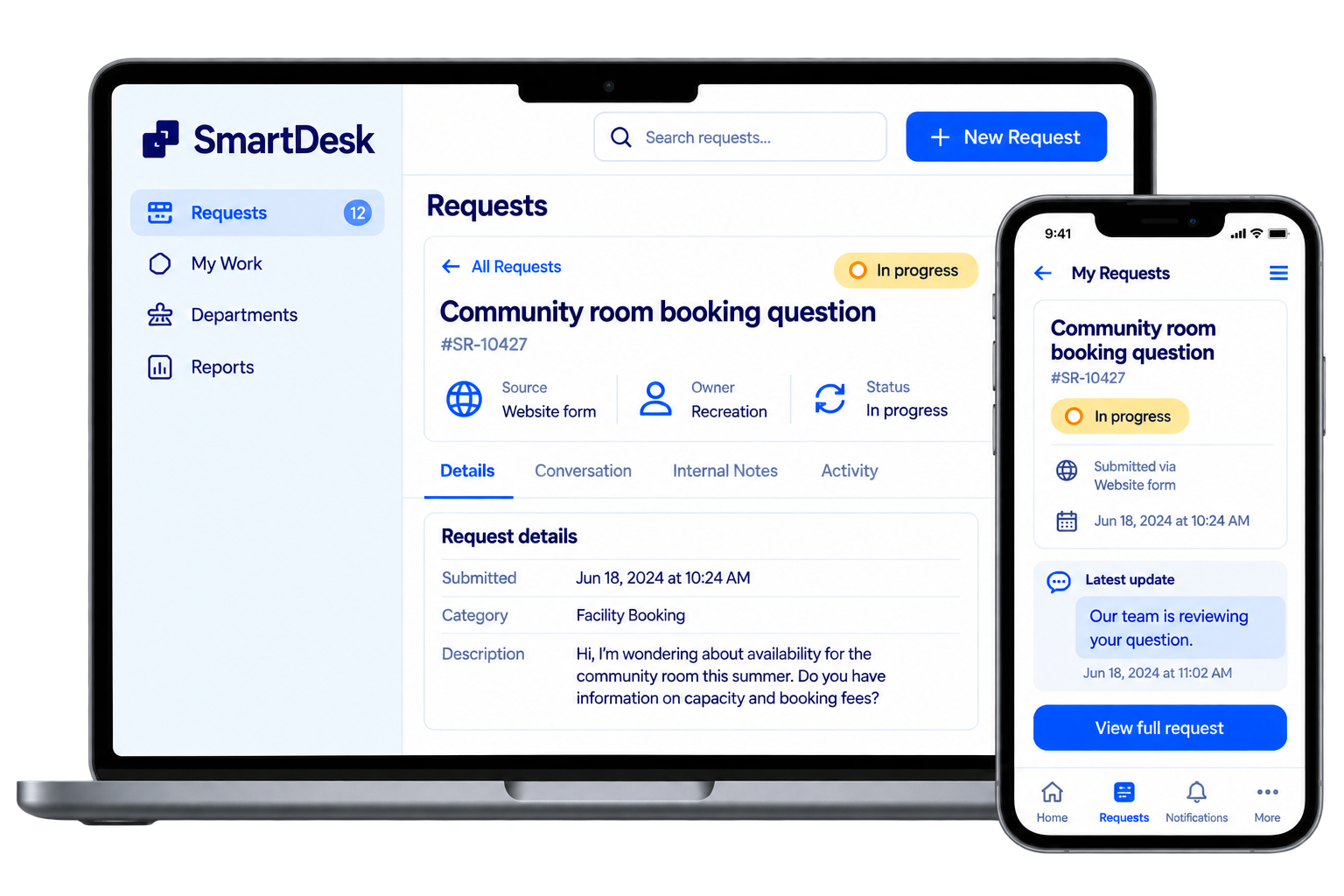
Illustrative interface
-
 24/7 request submission
 -
 Department routing
 -
 Resident status portal
 -
 AI-assisted writing
The Everyday Challenge
A resident’s question shouldn’t get lost between departments.
When requests move between inboxes and teams, it becomes harder to see who is responding, what has already been discussed and what still needs attention.
SmartDesk keeps the request, responsibility and conversation together so your team can follow through.
-

Who is taking care of this?
Give each request a department responsible for managing the response and resolution.
-

What has already been discussed?
Keep the request history together so staff have the context they need.
-

Why do we keep answering the same question?
Use recurring requests to identify information residents need—and make those answers easier to find.
Keep the request, responsibility and conversation together.
How SmartDesk Works
From the first request to the final update.
-

Submit anytime
Residents raise a question or service request through email or a website form, including outside office hours.
-

Route to the right department
The category selected on the form directs the request to the responsible department. Staff can assign unassigned requests and reassign them when needed.
-
Prepare a clear response
Staff write their message and can use AI to improve its wording and structure before sending.
-

Keep residents informed
Residents receive email notifications and can visit the portal to check their request’s status.
-

Resolve and learn
Record the outcome and turn recurring questions into staff-approved FAQs or general information.
-
Email
-
Website form
SmartDesk
-
Department ownership
-
Resident updates
Requests can be submitted 24/7. Responses follow your organization’s service hours and processes.
Core Capabilities
Keep requests organized and residents informed.
-

Email and website forms
Bring requests from both channels into one organized workspace.
-

Category-based routing
Automatically assign form submissions to the appropriate department based on the selected category.
-

Flexible assignment
Assign requests that need an owner and move them between departments when responsibility changes.
-

Resident portal and notifications
Give residents a place to check status, supported by email updates.
-

AI-assisted reply writing
Turn staff-written notes into clearer, well-structured responses for staff review.
-
Staff-approved FAQs
Use repeated questions and their resolutions to create useful information for residents, with staff approval before publication.
For Residents and Your Team
Less uncertainty for residents.
Clearer responsibility for your team.
 For residents
- Submit when it suits you Raise a request through email or a website form, 24/7.
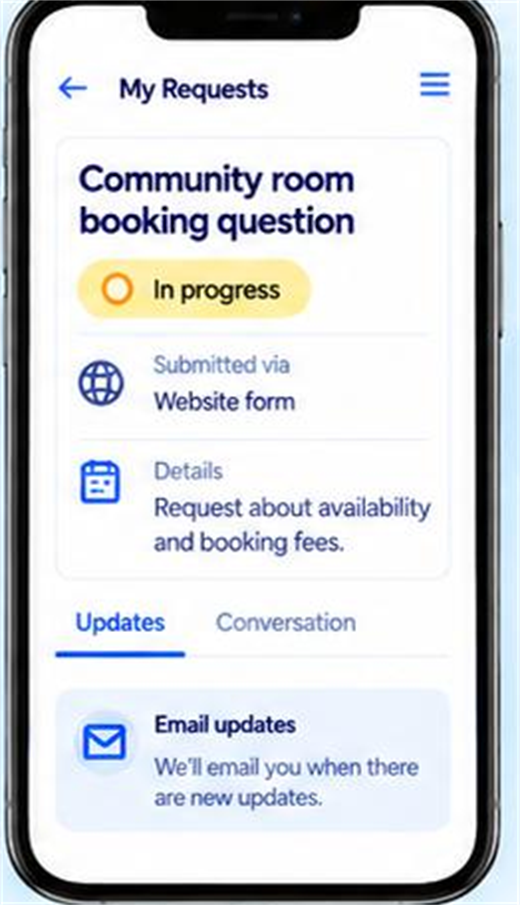
- Know where things stand Check the status of your request in the resident portal.
- Stay informed Receive email notifications about your request.
- Find answers to common questions Access helpful FAQs reviewed and approved by staff.
For your team
- Start with clear ownership Route categorized form requests directly to the responsible department.
- Handle changes in responsibility Assign or reassign requests as needed.
- Communicate clearly Use AI to help turn your notes into a polished response.
- Build useful public information Turn recurring questions into approved FAQs that other residents can use.
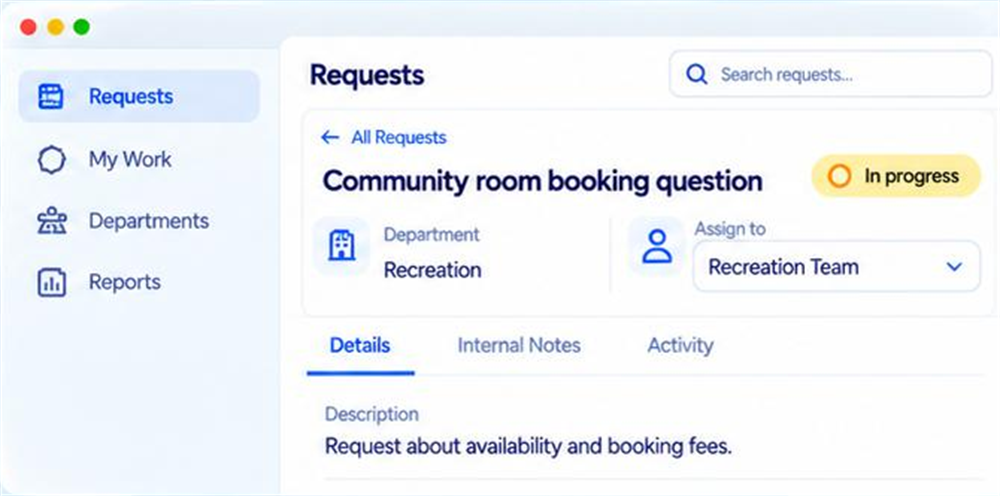
Illustrative resident and staff interfaces
AI Assistance With Staff Control
Your team provides the answer.
AI helps you communicate it clearly.
Staff know what happened and what the resident needs to hear. SmartDesk helps turn that information into a clear, well-written reply.
- Write the essential details Add the update, explanation or next step you want to communicate.
- Refine the response Use AI to improve the wording and organize the message.
- Review and send Check the details and send a response that reflects your team’s intended answer.
Staff notes
Room available Saturday 10 a.m. to noon. Submit booking form to reserve.
AI-assisted draft
The room is available on Saturday from 10 a.m. to noon. Please submit the booking form to reserve it.
Review and send
Illustrative wording example. Staff confirm the details.
Make recurring answers easier to find
When the same questions come up repeatedly, turn useful resolutions into FAQs or general information. Staff approve what is published, helping keep resident guidance relevant and accurate.
-
 Identify recurring questions
 -
 Prepare useful guidance
 -
 Staff approve publication
For example, repeated questions about reserving a community room can become an FAQ explaining where to check availability and how to make a booking.
See SmartDesk in Practice
See what happens after a resident asks for help.
Follow a request through SmartDesk—from submission and department assignment to a response and resolution.
Illustrative interfaces. A product walkthrough recording will replace these.
-
A resident submits a request
See how an email or website form request enters the system.
-
A department takes ownership
Explore category-based routing, staff assignment and the request history.
-
 Staff prepare a clear reply
See how staff-written notes become an AI-assisted draft for review.
Staff prepare a clear reply
See how staff-written notes become an AI-assisted draft for review.
-
The resident receives an update
View the email notification and the request’s status in the resident portal.

Your Questions Answered
A few things you may be wondering.
Understand how requests, department ownership and resident updates work together.
-
How can residents submit a request?
SmartDesk accepts requests through email and website forms.
-
Can residents submit requests outside office hours?
Yes. Requests can be submitted 24/7. Staff responses and resolution follow your organization’s working hours and service processes.
-
How do requests reach the right department?
Requests submitted through a categorized form can be assigned automatically to the appropriate department. Staff can also assign unassigned requests and reassign them between departments.
-
Can residents check their request’s status?
Yes. Residents have a portal where they can view status and also receive email notifications.
-
What does the AI writing feature do?
Staff provide the message or notes they want to communicate. AI helps improve the wording and structure, and staff review the response before sending it.
-
Who approves the FAQs?
Staff approve FAQ content before it is published for residents.
-
How is SmartDesk different from SmartBot?
SmartBot helps residents find answers from approved information. SmartDesk manages requests that need staff attention, department ownership and follow-through.
See SmartDesk in Action
Make the next resident request easier to manage.
See how SmartDesk could help your departments organize requests, coordinate responses and build useful information from everyday questions.
Tell us how requests reach your team today and where follow-up becomes difficult.
-
Explore department routing.
-
See resident status updates.
-
Try AI-assisted reply writing.
Request a SmartDesk Demo
"*" indicates required fields