


SmartComply · Document Accessibility
Make public documents more accessible.
Make the workload more manageable.
Help residents find, read and use the information you publish. SmartComply discovers PDFs across your website and converts them into accessible, searchable online reading experiences—with your original files preserved.
- Original PDFs preserved
- No CMS migration
- Built for public-service organizations
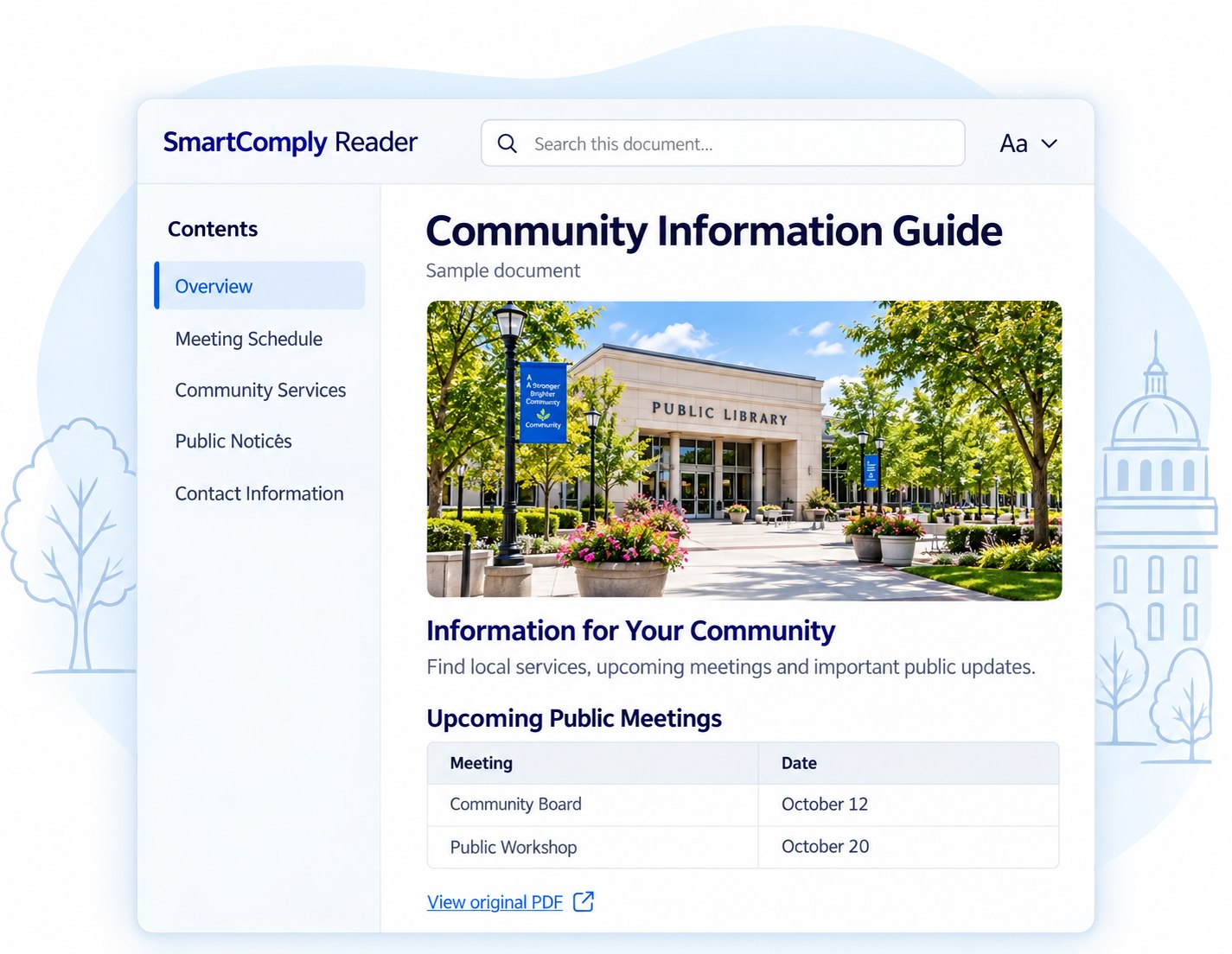
An HTML reading experience created from your PDF.
Illustrative reader preview

The Everyday Challenge
Your documents keep growing.
Your workload shouldn’t.
Notices, meeting packets, guides and reports keep your community informed. But as PDFs accumulate across departments, making that information accessible becomes another responsibility for an already busy team.
SmartComply brings document discovery, conversion and review into one workflow—helping you address existing files and manage new publications.
-
Documents across departments
Bring published PDFs into one central inventory.
-
New information to publish
Use a repeatable process for newly added documents.
-
Limited time for review
Identify flagged pages so your team can see where attention is needed.
Make the information inside your PDFs easier to use.
Give residents a clearer way to explore public documents—with searchable text, structured navigation and reading controls.
Original PDF
Your source file stays unchanged
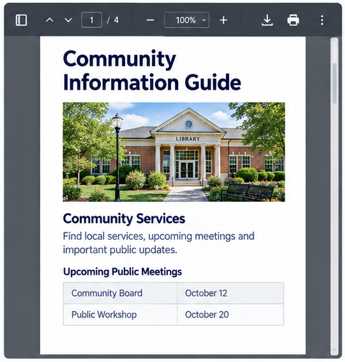
SmartComply Reader
An HTML reading experience
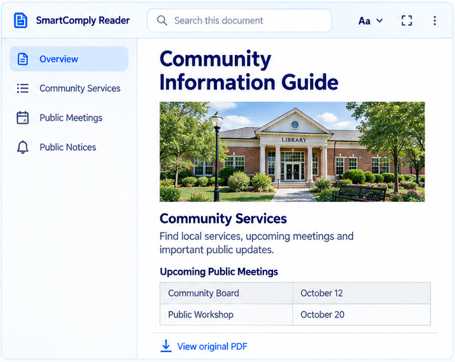
Illustrative sample
- Find information Search within the document.
- Move through content Navigate headings, contents and pages.
- Read more comfortably Adjust zoom, spacing and contrast.
- Keep the original Open or download the source PDF.
SmartComply Capabilities
One place to manage your document library.
Keep track of published PDFs, conversion progress and content that needs attention.
-
Website PDF discovery
Find PDFs through your website and sitemap, bringing scattered documents into a central inventory.
-
Batch conversion
Process groups of documents into HTML reading experiences.
-
Page-level quality checks
Identify lower-confidence pages that may need closer review.
-
Clear document status
See which documents are converted, awaiting review, reprocessed or unable to process.
-
Reader tools
Help residents search, navigate and adjust their reading experience.
-
Ask the Document
Let residents ask questions grounded in the document they are viewing.
Example question When is the next public meeting?
Quality checks help identify review needs; they are not compliance certifications.
For Your Community and Your Team
Easier access for residents.
Clearer oversight for your team.
For residents
- Find information within longer documents.
- Navigate content using headings and reading tools.
- Read on mobile devices.
- Access the original document when needed.
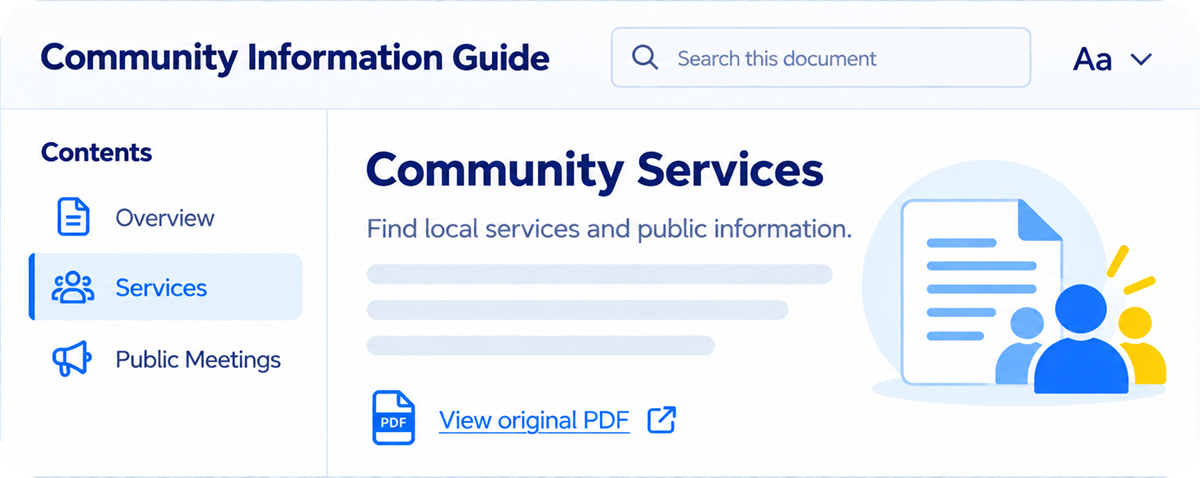
Illustrative reader preview
For your team
- See published PDFs in one place.
- Track conversion and review progress.
- Locate pages that need attention.
- Follow a consistent process for ongoing publishing.
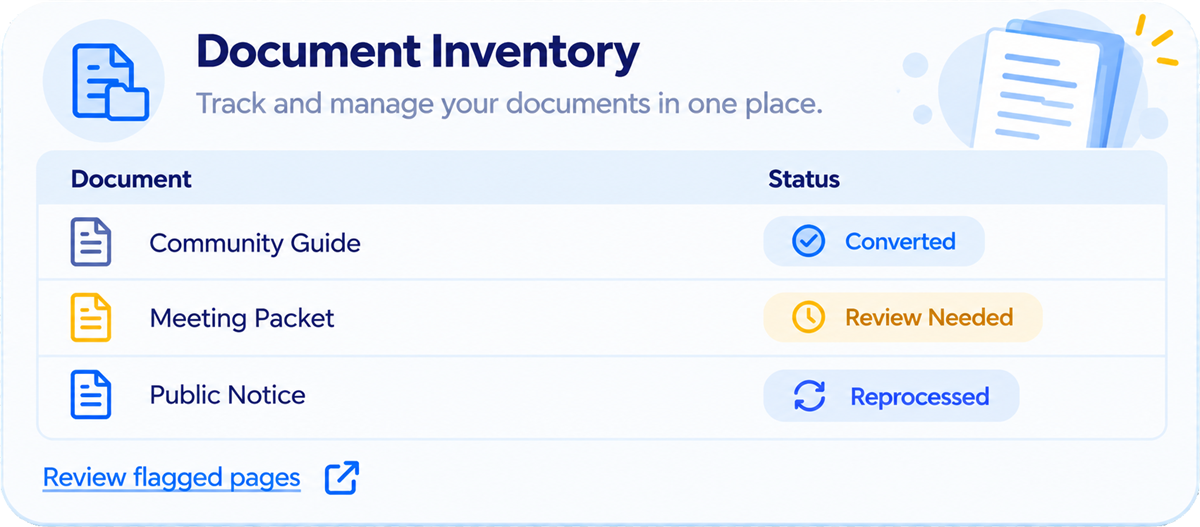
Illustrative dashboard preview
How SmartComply Works
A practical process—from published PDF
to online reader.
See how your documents move through discovery, conversion, review and delivery.
-

Discover
Find PDFs across your website and organize them in a document inventory.
-
Convert
Create structured HTML reading experiences from the selected documents.
-
Review
Use quality checks and flagged pages to identify content requiring attention.
-
Deliver
Make the reader available alongside the original PDF.
Keep your existing website.
SmartComply preserves your original files and supports integration with your publishing workflow.
- Original PDFs preserved
- No CMS migration
During setup, agree who reviews flagged content and approves publication.
Start With Your Own Documents
See how SmartComply handles your documents.
Start with a pilot of 5–10 representative PDFs. Explore the reader experience, see conversion results and identify documents that need further attention before deciding on a wider rollout.
5–10 PDFs in your pilot
- Meeting packets
- Public notices
- Guides
- Reports
What you can evaluate
- Your documents in the reader Explore navigation, search and reading tools using familiar content.
- Conversion and review needs See the output and identify pages that may need further attention.
- Fit for your publishing process Discuss how SmartComply could work with your website and team.
Start with a representative selection of public documents.

Your Questions, Answered
What to know before you get started.
Clear answers about your documents, your website and how SmartComply fits.
-
Does SmartComply change our original PDFs?
No. SmartComply creates an HTML reading experience while preserving the original PDF. It does not produce a remediated PDF file.
-
Do we need to replace our website?
No CMS migration is required. We’ll discuss how the reader fits your current website and publishing setup.
-
What happens when a document needs further review?
Pages that fall below the configured quality threshold are flagged for attention. Review and reprocessing responsibilities should be agreed as part of your setup.
-
Can we start with a small selection of documents?
Yes. Start with a pilot of 5–10 representative PDFs to evaluate the experience and identify any additional review needs.
-
Can it support newly published documents?
SmartComply supports an ongoing document workflow. We’ll discuss how new PDFs are identified and processed within your setup.
-
How does SmartComply fit our accessibility requirements?
SmartComply supports document access through HTML readers. Your organization’s accessibility requirements may also involve the original PDFs, your website and other services. Discuss your document needs with us to establish the appropriate scope.
Have a question about your documents? Talk to Our Team
Start Your SmartComply Pilot
Let’s start with the documents your community uses most.
Tell us about your website and the documents you publish. We’ll discuss a focused PDF pilot and the next steps for evaluating SmartComply.
A pilot with 5–10 PDFs
Explore the reader experience using a representative selection of your public documents.
What happens next?
Our team will contact you to discuss your documents and agree on the pilot scope.
Not sure where to begin? Ask about a website PDF assessment
Request your PDF pilot
Tell us a little about your organization.
"*" indicates required fields
We’ll use these details to respond to your inquiry.